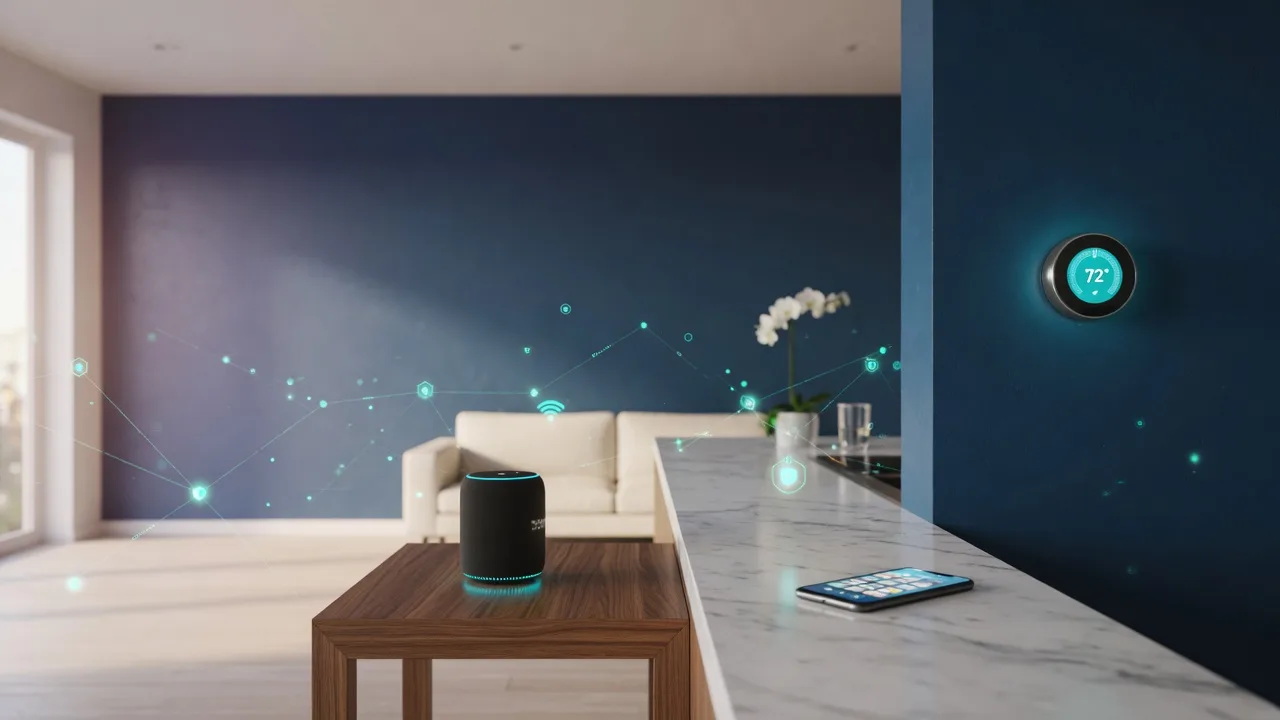
Tech for Smart Homes: Present It Straight
Smart-home technology shows up in a lot of Las Vegas listings, and it can genuinely help a home sell when it works and when it is described honestly. In more than 36 years in real estate, including my years as a licensed residential real estate appraiser, I have seen what happens when sellers oversell the gadgets and skip the details. This guide is the plain-English version: which features buyers actually notice, how to present them without hype, what to disclose, and how today's marketing technology gets your home in front of the right buyers.
A smart feature is still just a feature
Here is the honest version: a house does not sell because of its gadgets. Location, condition, size, pricing and what the market is doing do most of the work. A good smart-home setup sits on top of those fundamentals. It can make a home easier to show, easier to describe and easier for a buyer to picture themselves living in, but it never replaces the basics.
I tell sellers this because it saves money and disappointment. The goal is not to turn the sale into a technology pitch. Buyers have learned to look past gadget-heavy listings and ask what is actually there. Your job is to present a home that works, describe it accurately and let the evidence do the talking.
This guide stays general on purpose. I am not going to tell you to spend or not spend on any particular device, because the right answer depends on your home, your market and your timing. What I can do is show you how to think about it with an appraiser's eye: what matters, what does not, and what to do about the devices you already own.
The features that are genuinely useful
These are the smart-home features that tend to register with today's buyers when they walk through a Las Vegas home. Each one solves a small, practical problem, and each one is easy to describe honestly in a listing. Think of this as the short list of what is usually worth mentioning, not a shopping list for new equipment.
Smart thermostats
In a climate where cooling runs most of the year, a thermostat you can program and adjust from a phone is one of the few smart features buyers genuinely register. Make sure yours works, plan to hand over the codes, and know how to reset it so the new owner starts fresh under their own account.
Keyless entry and smart locks
Keypads and app-controlled locks are easy for buyers to understand: no keys to copy, codes you can change in seconds, no lockbox juggling at showings. As the seller, your only job is to clear every code after closing and leave whatever instructions the buyer needs to take control.
Security cameras and video doorbells
Cameras and doorbells that show who is at the door appeal to buyers who travel, work odd hours or want to watch their own property. The honest version: be upfront about where each camera points, whether anything records, and whether a subscription is needed to keep it useful.
Smart lighting
Dimmers, timers and lights that run on schedules make a home easier to show and photograph well. Just do not oversell lighting, because it is one of the easiest features for a buyer to change in an afternoon. Treat it as a convenience that supports the showing, not a headline.
Garage door openers
A garage opener you can close and check from anywhere is a genuine convenience in a desert climate, and buyers notice it. Make sure the opener and its app are working and paired to you, and that the new owner can re-pair the unit easily after closing.
Water leak sensors
A small sensor near a water heater or under sinks can catch a leak before it becomes a repair bill, and buyers like peace of mind. If you have them, verify they work and tell the buyer what they do. They are a small, honest detail that speaks well of how the home was cared for.
Solid Wi-Fi and wiring
The most valuable part of a smart home is usually invisible: reliable Wi-Fi, structured wiring or a simple system the next owner can pick up without an instruction manual. If you have it, describe it accurately in the listing, because a buyer who inherits seven gadgets on seven apps has questions.
None of these features should be inflated in your listing, and none of them justify a higher price on their own. But if you have them, working and honestly described, they make the home easier to live in and easier to say yes to. That is the whole job.
Worth fixing, or worth ignoring?
Before you spend a dollar on smart-home upgrades, run the decision through the same filter I used as an appraiser: does this actually change how a buyer will see the home? Most sellers overestimate how much technology adds to a sale and underestimate how much a broken or confusing setup subtracts.
- 01
Does it already work?
The first question is not whether the home has smart features, it is whether they work. A dead camera, a thermostat stuck on the wrong temperature or a lock with a forgotten code does more harm than no technology at all. Test everything before you list, fix what is broken or remove it.
- 02
Can a buyer understand it in ten seconds?
Buyers do not research your system at the showing. What they absorb is what they can see working and what your listing says. If a feature needs a paragraph of explanation, it is probably not worth leading with. Simple, obvious, working technology wins.
- 03
Would a buyer actually pay for it?
As an appraiser, I am used to asking what a feature is worth to a buyer in the market. Most smart devices are inexpensive and easy to add later, so buyers instinctively assume the value is small. Price the home for the real estate, and treat working tech as a bonus, not a premium.
- 04
Does it depend on a subscription?
Some features work by themselves. Others quietly require a monthly fee, a cloud account or a monitoring contract, and that cost lands on the next owner. If a feature needs a subscription, say so plainly in the listing or the disclosure, because it changes how a buyer should think about it.
- 05
Would you buy it again yourself?
The fastest honest test is to ask whether you would spend your own money on the device today. If you would not, do not present it as a reason to choose your home. If you would, make sure the next owner can actually use it after you leave.
Run every gadget through these five questions and you will know what to fix, what to keep and what to quietly remove before the photos. Upgrading before a sale is sometimes worth it, but only when the improvement is visible, functional and something a real buyer in your market would value. That is the evidence-based way to spend.
What actually matters for resale
In my years as a licensed residential real estate appraiser, I learned that appraisers value homes by comparing them to similar properties that actually sold, and most of the comparison happens in the fundamentals: location, size, condition, age and layout. Smart features rarely change a home's appraised value on their own, and no appraiser adds a premium for a gadget that may be obsolete in a few years.
That does not mean smart tech is worthless to a sale. A well-kept home with a reliable, simple setup can show better, appeal to a wider pool of buyers and signal that the property was cared for and maintained. Those things genuinely help a home sell. But the market pays for the house, and the gadgets are guest stars.
So think about upgrades the way you would think about any pre-listing improvement. Fix what is broken, address what a buyer or inspector will notice immediately, and skip the projects only you would appreciate. If a smart feature is already there and working, present it accurately. If it is not, you rarely need to buy it just to sell.
Wi-Fi: the invisible foundation
Almost every smart feature in a home rides on the same internet connection, and buyers quietly wonder whether the Wi-Fi reaches the far bedroom and the garage, because that decides whether the smart home they are looking at will actually work when they live there. In a big single-story floor plan or a two-story with a thick block wall between floors, coverage is a real question, not a formality.
Do not wait for a buyer to ask. Know where your router and modem live, what internet options are available at the address, and whether any room has a dead zone. If coverage is spotty, fix it before the photos: reposition the router, add a simple extender or move the modem to a central spot. These are small, modest fixes with an immediate effect on how the home shows.
The honest summary: buyers do not need a high-end setup, they need to believe the home will not fight them on the basics. A working router in a sensible place, solid coverage in the rooms you show and an accurate one-line note in the listing are usually enough. Keep it simple and make it true.
Video, virtual tours and the drone
Technology matters on the marketing side too, and it has changed how homes are discovered. Professional photos remain the non-negotiable baseline, but video walkthroughs, virtual and 3D tours and aerial footage each do something the others cannot, and they are especially valuable in a market like the Las Vegas Valley where buyers are often coming from out of state.
A video walkthrough gives buyers a sense of flow and scale that a photo cannot capture, and it helps faraway buyers narrow their list before they ever book a flight. Virtual and 3D tours let someone feel like they have walked the floor plan on their own time, which builds confidence and saves everyone hours. Drone footage earns its keep where setting matters: mountain views, a golf course, the shape of the lot, the character of the street. Buyers are choosing a neighborhood and a lifestyle, not just a house, and the aerial context helps them see it.
The one rule I hold to is that the marketing must match the home. Over-processed photos or a tour that flatters more than it informs set up disappointment at the showing, and disappointment is the easiest way to lose a buyer. Use the technology to present the home accurately and attract buyers who will not be surprised when they walk in the door.
Present it right, disclose what's there
This is the section sellers are most tempted to skip, and it protects you the most. How you present smart features in the listing and what you disclose about the devices themselves sets accurate buyer expectations and keeps the transaction clean. Handle both and the technology becomes an asset instead of a lingering question.
- 01
Inventory what is actually installed
Walk the home and write down every connected device: thermostats, locks, cameras, doorbells, lighting, sensors, garage openers, hubs. Know which ones physically stay with the house, which ones rely on an app, and which ones you plan to take. You cannot present a feature accurately until you know what you have, and neither can your agent.
- 02
Describe it in the listing without the hype
The listing should state plainly that the home has a smart thermostat, keyless entry, cameras or a solid Wi-Fi setup, and then move on. Accurate bullets beat adjectives. Say what the feature is and what it does, skip the superlatives, and remember the buyer's inspector will verify what is written.
- 03
Say what conveys and what does not
There is nothing wrong with taking a device you bought and love, but say so. If a wall-mounted camera or specialty light stays, present that as part of the home. If an item is personal property the buyer should not expect, do not list it as a feature. Ambiguity here turns into a negotiation at the worst possible time.
- 04
Disclose subscriptions and how the system works
The seller's disclosure document is the right place for anything a buyer needs to know: whether features depend on a monthly subscription, a cloud account or a monitoring contract, and how the system is controlled. A buyer who discovers a required fee after they are in contract feels misled, even when nobody meant to mislead.
- 05
Reset, transfer and leave clear instructions
Before closing, log out of every account, factory-reset devices where appropriate, clear lock codes and pair the essential items under the buyer's ownership if you can. Leave the new owner a simple written summary of what is installed and how it works. A clean handoff is the difference between a buyer grateful for the technology and a buyer with regrets.
Present the technology the same way you present the rest of the home: accurately, honestly and in plain English. From my appraisal years, I can tell you the buyers and their inspectors are going to look. When what they find matches what you said, the transaction gets easier. When it does not, even a good house suddenly has questions.
Next resources
The pre-listing checklist: what to fix, clean, declutter and stage before the photos.
Read it Selling in a Changing MarketHow to read the market and set a realistic strategy when conditions shift.
Read it Home Appraisals for SellersWhat the appraiser actually looks at, so your pricing and prep match the evidence.
Read itLet's decide what's worth doing
If you are getting ready to list a home with smart features, I will help you take stock of what you have, decide what is worth fixing and present the home accurately so the right buyers walk in already believing it. My job is to make sure the marketing matches the house, the disclosures are clean and the pricing reflects what the market will actually pay.
Call me at 702-683-3362 or email me at realtrchik@gmail.com. Bring your questions, and we will go through the home the way I would want someone to go through it for me, with the evidence in front of us.
Licensed in Nevada · Sales Person S.0072707 · Equal Housing Opportunity
Disclaimer: By providing your information, you agree to receive communications from Sandy Margolin. Message and data rates may apply. If the property is listed with another REALTOR® or Broker, please disregard. Information deemed reliable but not guaranteed.